Share
Subscribe

Power Platform October/November 2026 update: 17 changes, screen by screen
Carousel Slides
1 / 15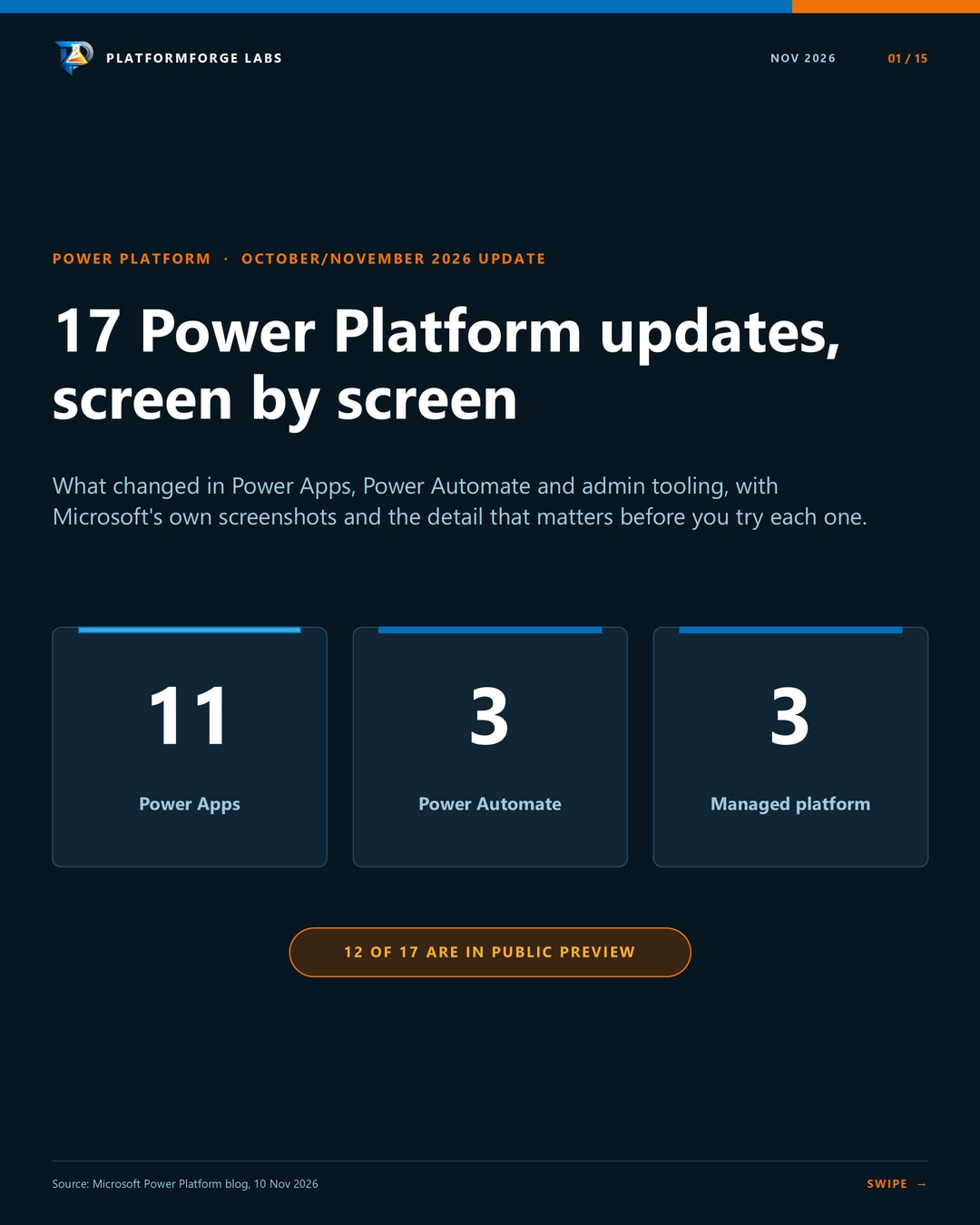
Microsoft's October/November feature update covers 17 changes across Power Apps, Power Automate and the managed platform. Twelve of them are public previews, which Microsoft doesn't support for production use, and several are still rolling out by region. Check what your tenant has before you plan around any of them.
The carousel has one screen per feature. This post adds the detail behind each one and links to the documentation.
Where I'd start
Three changes are worth putting in front of a test environment this month:
- Dataverse.Unmask (preview). It's a small formula change with a clear security benefit. Test it with a non-admin account.
- Data grid pagination. It's opt-in, so you can switch it on one app at a time and compare the experience.
- Monitor alert routing (preview). Alerts reach the team that fixes the problem, in Teams or Azure DevOps.
Power Apps: canvas controls
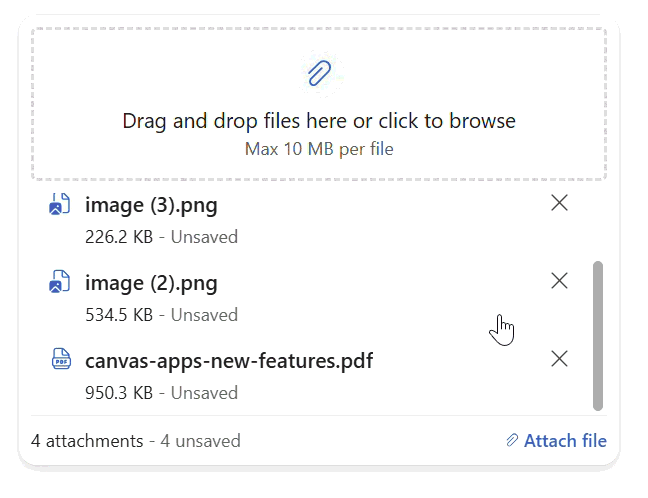
Modern attachments (preview). The modern attachments control now works inside a form or on its own on a canvas. Users get multi-file selection, thumbnails, file validation and drag and drop on the web. You can cap the number of files, their size and the accepted types. Added files show as unsaved until Patch or SubmitForm runs, so your save logic still decides what reaches SharePoint or Dataverse.
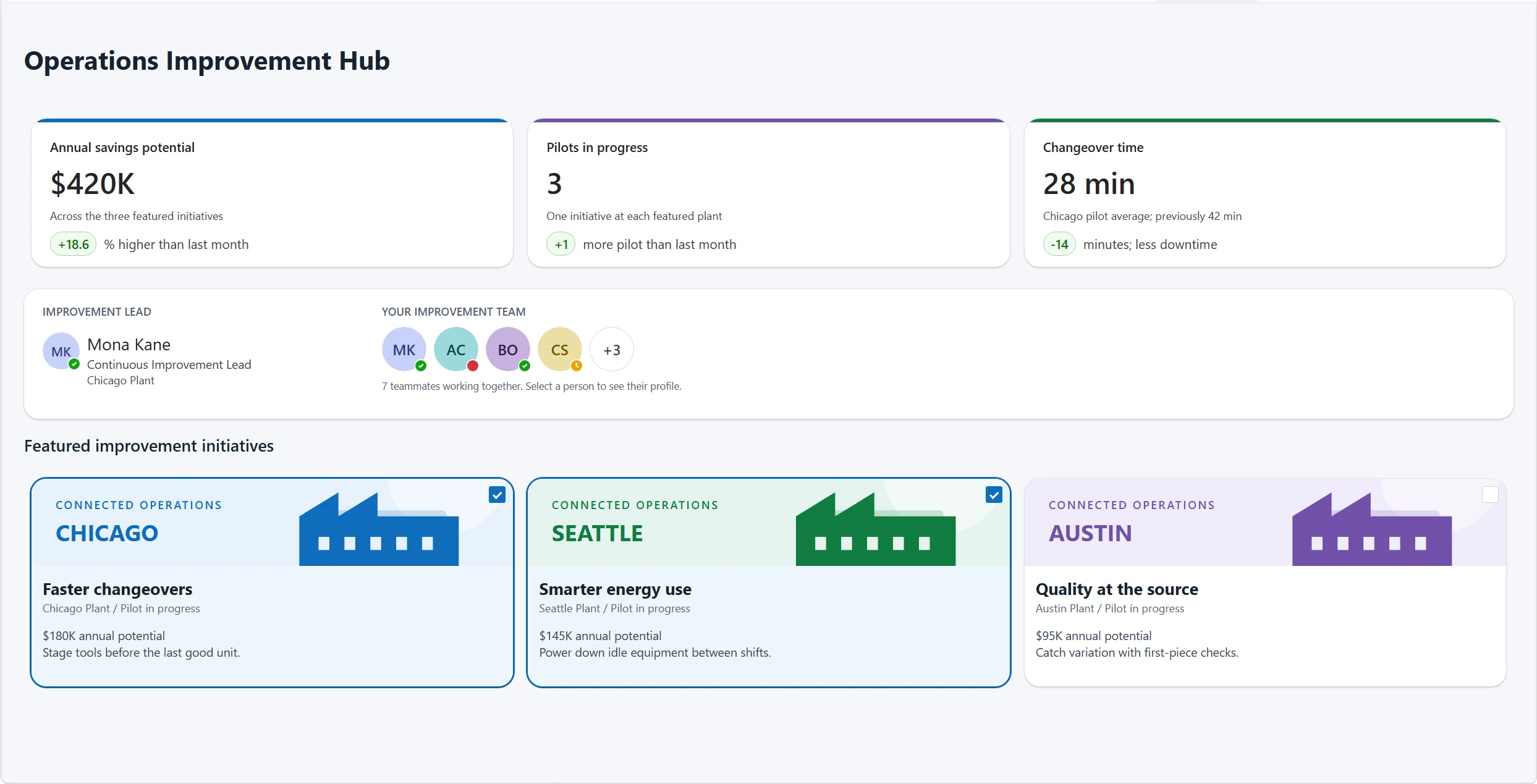
Four new modern controls. Avatar group, persona, metrics card and card gallery cover layouts that previously took several controls to assemble. Microsoft is targeting navigation, breadcrumb, facet, accordion and carousel controls by the end of 2026, along with general availability work for attachments.
Power Apps: the modern data grid
Pagination. The grid can load more rows as users scroll, or show numbered pages with a page size you set. The Pagination property defaults to None, so existing apps keep their current behaviour. Paging changes how records load. It doesn't make a non-delegable Items formula delegable.
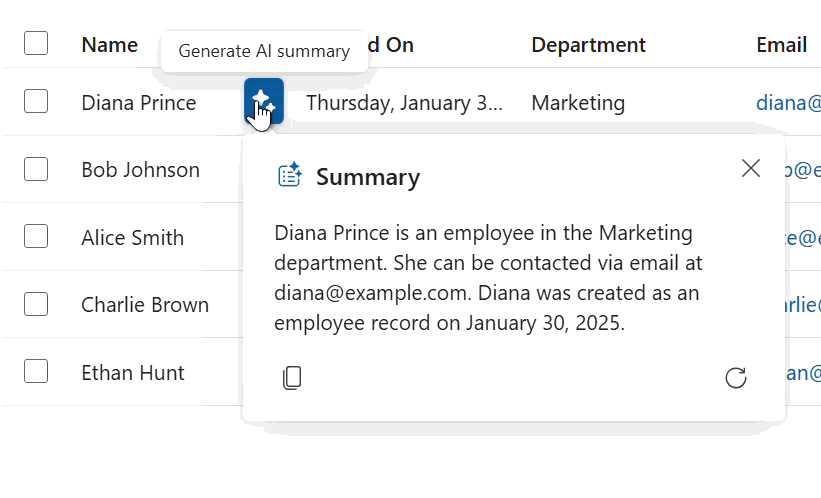
AI row summary (preview). Users can generate a short summary of a Dataverse row from the grid without opening the record. Connect the grid to a table that already has row summary configured, then set ShowAIRowSummary to true. The feature is off by default and rolling out gradually.
Power Apps: SharePoint starting points
Responsive form template. SharePoint custom list forms now start from a multi-column layout that adapts to the available width, instead of a single column. Customise the form in Studio, then test it inside SharePoint as well.
App-from-data template. Apps generated from data now get responsive browse, new and edit screens built with modern controls, across all app-from-data flows. You can also start from a list with Integrate > Power Apps > Create an app.
Power Apps: security, AI and generative pages
Dataverse.Unmask (preview). Dataverse.Unmask( Record, Column ) returns the unmasked value of one secured column for one record. The rest of the app stays masked, and the stored record and masking rule don't change. The user needs access to the table and record, Read permission on the secured column, and the appropriate Read unmasked permission in a column security profile.
Test with a non-admin account, because column-level security doesn't hide data from system administrators. Wrap the call in IfError, and don't treat a blank result on its own as proof of a permission problem.
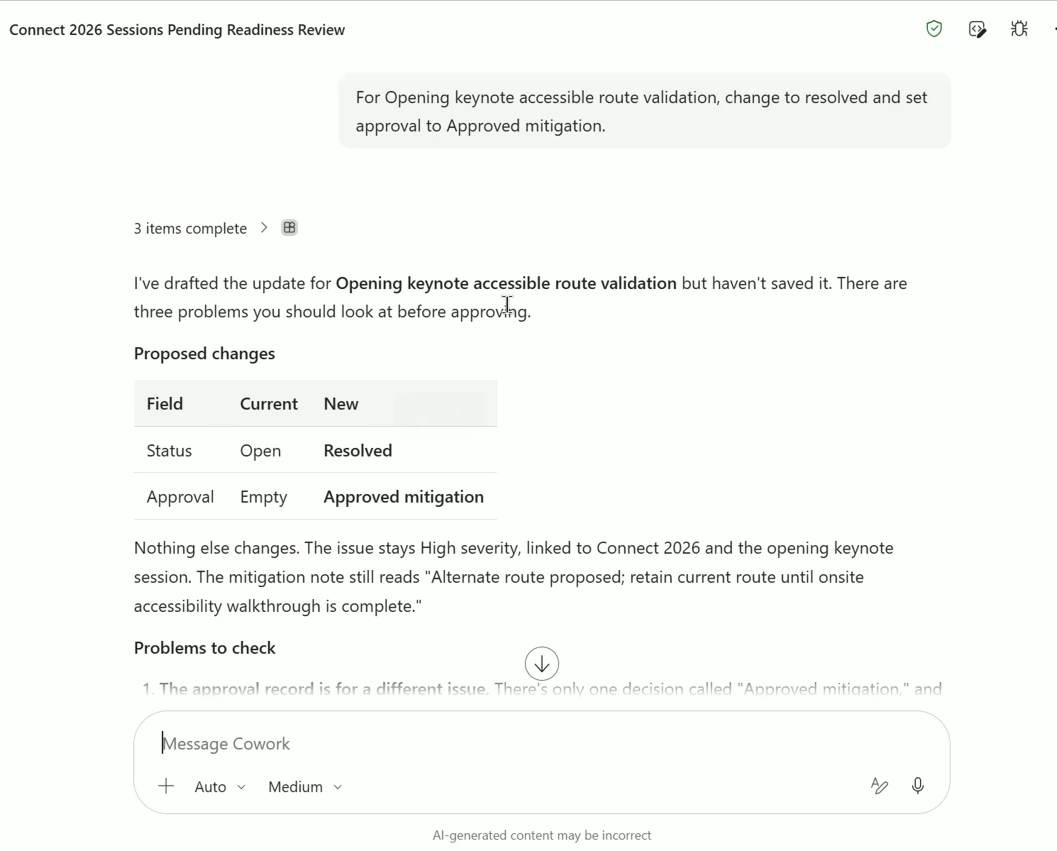
Business apps in Work IQ (preview). Users can ask for records from a model-driven app view, then create or update them in conversation. Work IQ uses the app's views, forms, permissions and supported business rules, and the user confirms each change before it's submitted. In Microsoft's screenshot, the update is drafted but not yet saved.
Generative pages call custom APIs (preview). Pages can trigger Dataverse custom APIs for operations such as approving an order, recalculating a price or validating a transaction. The logic stays in Dataverse and runs as the signed-in user. Global and table-bound actions and functions are supported.
Generative page telemetry (preview). Once an admin turns on Application Insights export for the environment in the Power Platform admin center, page loads, unhandled errors, data operations and navigation are reported automatically. You don't add an SDK or a connection string to the page.
Canvas authoring agent (preview). Sign in with GitHub and an agent edits your existing canvas app alongside you, using the app's data sources and connectors. Manual edits don't use tokens, and you can switch between the two at any time. Usage is billed through GitHub, and a tenant admin has to turn on the setting first. I covered the cost questions in my earlier post on the authoring agent.
Power Automate: desktop flows
Desktop flow templates. Save error handling, logging and other patterns as a template, then test and publish it before others use it. Flows created from a template are independent copies, so later template updates apply to new flows only.
Scheduled triggers (preview). Run a desktop flow on a schedule without building a separate cloud flow. In Automation center you pick the flow, connection, attended or unattended mode, time zone and recurrence in one panel, and see upcoming runs in one place.
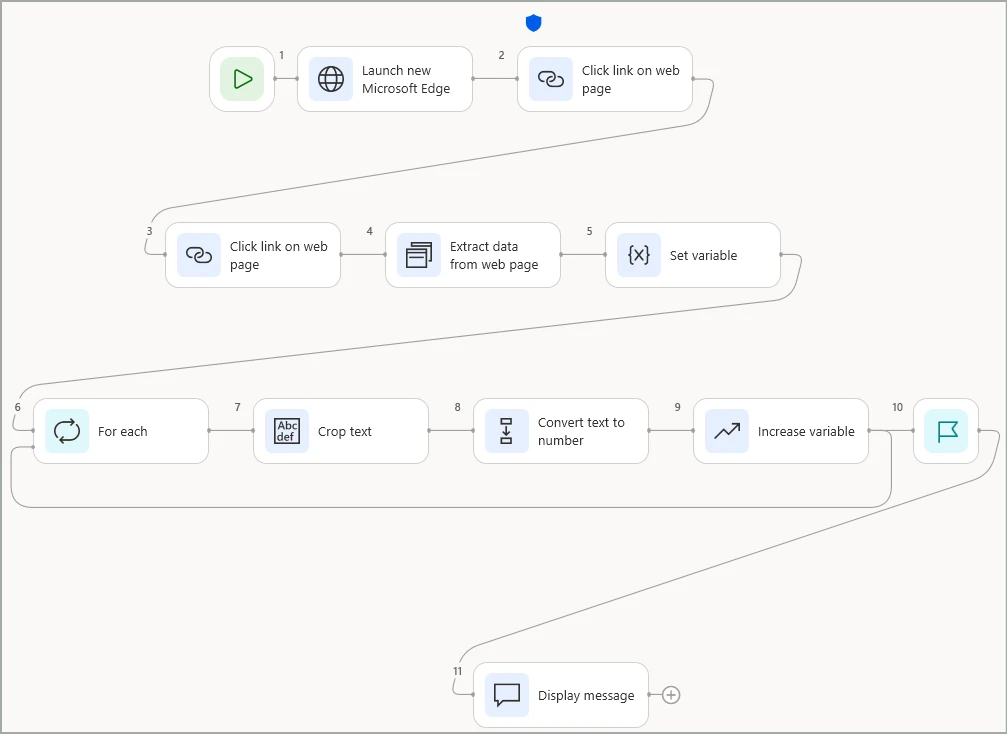
Flowchart mode (preview). Actions appear as nodes and execution paths as edges, which makes branches and loops easier to follow. You can switch an existing flow between flowchart and sequence views. During debugging, executed nodes and paths are highlighted, and the errors pane takes you to the failing node.
Managed platform
Admin plugin in Cowork (preview). Admins can ask natural-language questions about environments, ownership, policy impact and governance posture in their tenant. Use it to find where to look first, then confirm what it reports in the admin center before you change a policy.
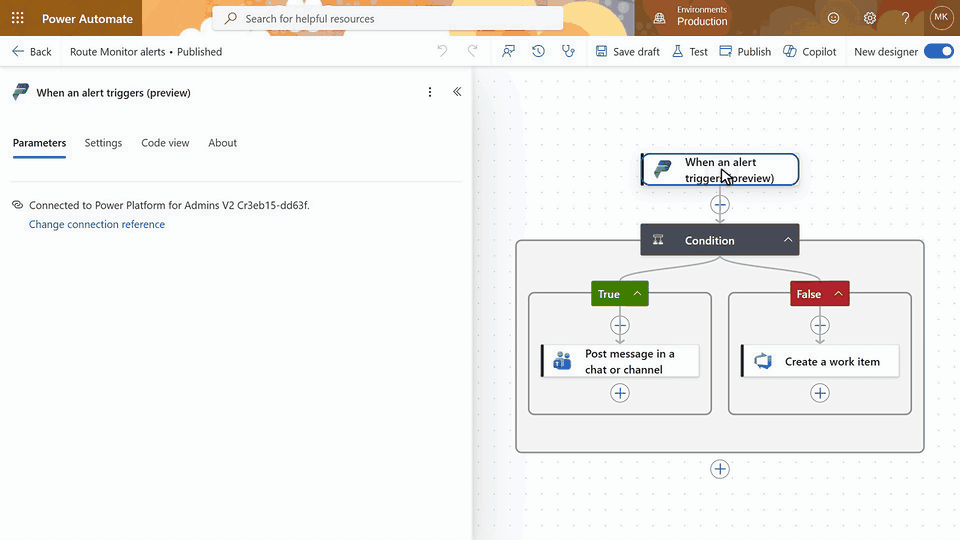
Monitor alert routing (preview). The new When an alert fires trigger in the Power Platform for Admins V2 connector sends monitor alerts to any connector-backed destination. One flow can post high-severity alerts to a Teams channel and raise Azure DevOps work items for the rest.
Monitor metrics export (preview). Export monitor metrics through an API in OpenTelemetry format and keep them beyond the 30-day retention window. You can analyse them in tools such as Azure Data Explorer, Splunk or Datadog, and share dashboards with colleagues who don't have admin center access.
Documentation
- Modern attachments control
- Modern controls overview
- Modern data grid: pagination and AI row summaries
- SharePoint form integration and apps from SharePoint
- Dataverse.Unmask function
- Business applications in Work IQ
- Generative pages
- Canvas authoring agent
- Desktop flow templates, scheduled desktop flows and flowchart mode
- Agentic governance
- Monitor alerts and monitor data export
Screenshots from the Microsoft Power Platform blog.
React to this article
Share this article
Stay Updated
Get notified when I publish new articles about AI, architecture, and enterprise tech.
Comments (0)
Sign in to join the conversation
Sign InNo comments yet. Be the first to share your thoughts!